
58%
Cafe owners cite service speed as their top daily issue
5–10%
Estimated monthly revenue lost due to billing errors in unmanaged cafes
Daily
How often you should be checking your sales figures — not weekly
Why Many Cafes Stay Busy but Not Profitable
Most cafes don't fail because customers dislike the product. They struggle because the basics aren't in place: billing takes too long, menus are out of date, and there's no clear picture of how the business is actually performing day to day.
The fix is not "work harder." It's putting simple systems in place so that ordering, billing, and sales tracking stay consistent — even on your busiest days.
Key insight: In cafes, small friction compounds fast. A slow billing process or a menu with wrong prices creates confusion that adds up across dozens of orders every day.
1. Billing That Slows Everything Down
Queue build-up during breakfast and evening slots is one of the most common pain points. When billing is done manually — writing totals by hand, calculating GST separately — it takes longer than it needs to and creates room for errors.
- Use a system where orders are recorded and billed in the same flow, with no manual calculation
- GST should be included on every bill without having to add it separately each time
- The simpler the billing process, the faster each transaction moves
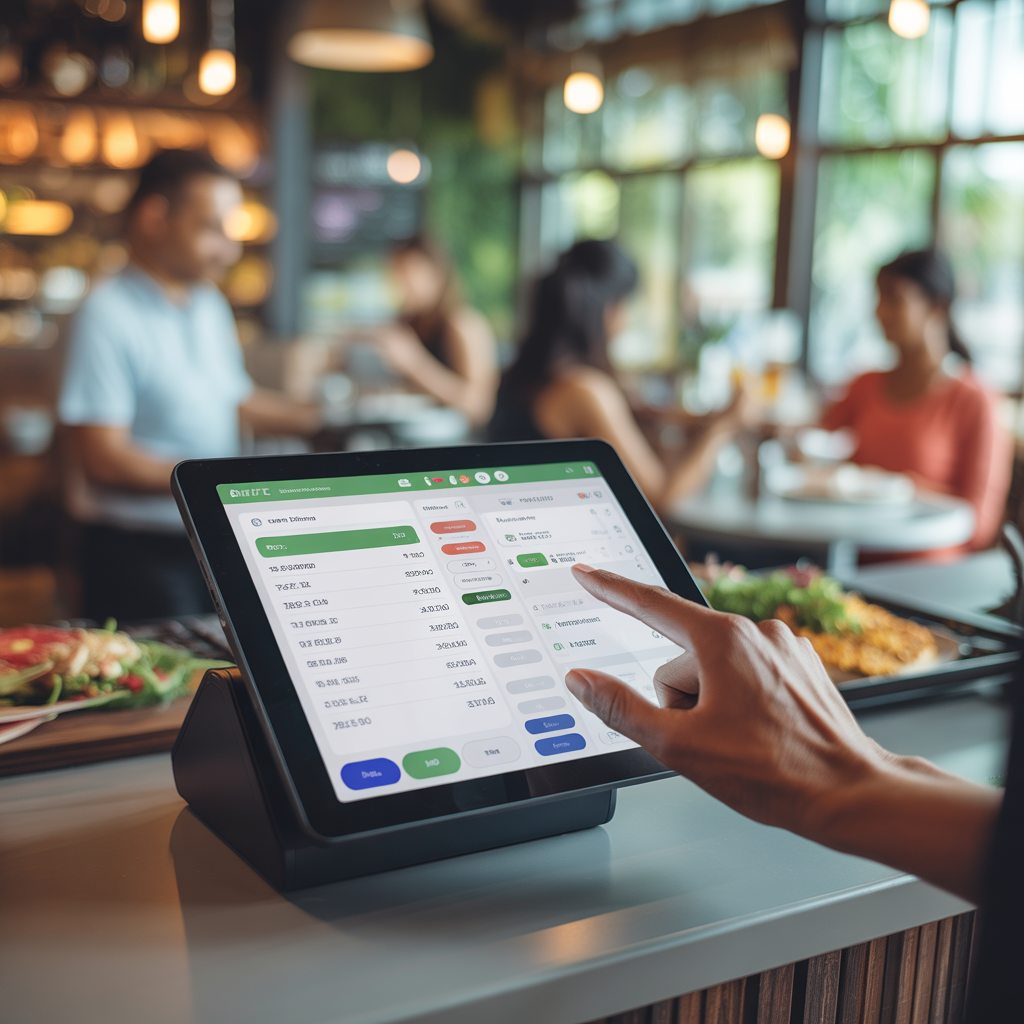
DineMitra generates a GST-included bill from whatever was recorded in the order — no separate calculation, no handwritten totals. For a busy cafe, that difference in speed matters across every rush period.
2. Menus That Don't Reflect What You're Actually Selling
A menu that hasn't been updated — wrong prices, items that are no longer available, or missing seasonal additions — causes confusion at the point of order. Customers are told something different from what's listed, and billing becomes inconsistent.
- Update prices in the system whenever they change, so every bill reflects the correct amount
- Remove items you've stopped serving to avoid confusion at the counter
- Organise your menu into clear categories so order taking is faster
Practical fix: Set aside 10 minutes at the start of each week to check your menu in the system. A few quick edits — updated prices, removed items — keeps billing accurate and order taking clean.
3. No Clear View of What's Open
During a busy rush, it's easy to lose track of which orders have been billed and which are still open. When this is managed on paper or from memory, things get missed — and that means either delayed billing or orders that fall through entirely.
- Open and pending orders should be visible on screen at a glance
- Once an order is billed and closed, it should be clearly marked as such
- This removes the guesswork of "has this been billed yet?" during peak windows
With DineMitra, the status of every order — open or closed — is visible in the system. There's no separate tracking needed. You can see what's still pending and what's been dealt with without having to ask anyone or check a paper list.
4. Menu Complexity That Complicates Order Taking
A broad menu may look attractive, but too many items — especially ones that rarely sell — make order taking slower and increase the chance of billing the wrong thing.
- Periodically review which items are actually being ordered and which aren't
- Retire low-demand items that add length to your menu without adding much revenue
- A shorter, well-organised menu is easier to navigate during a busy service
The goal isn't to shrink your menu for the sake of it — it's to make sure what's listed is what you're confident serving quickly and billing correctly. A tighter menu also means fewer opportunities for billing errors.
5. No Daily Visibility Into Sales
Many cafe owners look at their numbers once a week, or only when something feels off. By then, a pattern of slow days or billing gaps has already been running for days without being caught.
- Check your daily sales total at the end of each day — even a 2-minute glance tells you whether it was above or below your usual
- Monthly sales totals help you see which weeks are consistently stronger and plan accordingly
- A basic sales overview is enough to spot problems early, before they become expensive ones
DineMitra shows a daily and monthly sales overview that's straightforward to read. It's not complex — it's designed to give you the numbers you need to know without requiring any analysis.
Get Started Today
Run your cafe with less confusion
Order taking, GST billing, menu management, and a basic sales overview — all in one straightforward system built for Indian cafes.
Summary: Cafe Operations Checklist
- Bill every order from the system — no manual totals, no separate GST calculation
- Keep your menu up to date — correct prices, remove items you no longer serve
- Use the order status view to see what's open and what's been billed
- Trim your menu to what you're confident serving quickly and billing correctly
- Check your daily sales total at the end of every day, not just at the end of the week
DineMitra Team
We share practical, India-first playbooks to help cafe and restaurant owners improve operations and profit consistency.